
Oolauncher
Speed up Windows boot time
Launch applications one by one instead of all at once
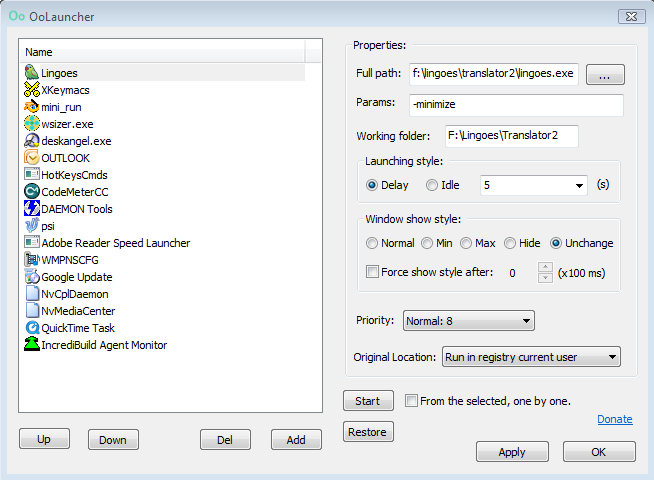
About
Oolauncher is designed to improve your Windows boot experience by managing application startup. Instead of launching all startup applications simultaneously (which can slow down your system), Oolauncher launches them one by one, giving your system time to properly initialize each application.
This approach results in:
- Faster overall boot time
- Reduced system resource usage during startup
- Better system responsiveness immediately after boot
- More predictable startup behavior
Features
Startup Management
- Sequential Launch - Applications launch one by one
- Configurable Delay - Set custom delays between apps
- Priority Control - Control launch order
- Auto-start Management - Easy startup entry management
User Friendly
- Simple Interface - Intuitive and easy to use
- Lightweight - Minimal system footprint
- Portable - No installation required
- Configuration Backup - Save and restore settings
Control Options
- Manual Launch - Launch apps on demand
- Skip Mode - Temporarily skip specific apps
- Startup Editor - Add/remove launch entries
- System Tray Integration - Quick access from tray
Download
Latest Version
Oolauncher
Portable version - No installation required
Changelog
Initial Release
- Sequential application launching
- Configurable delay between applications
- Startup entry management
- System tray integration